OpenClaw
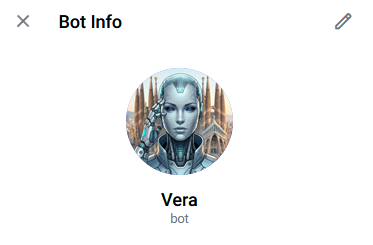
Vera is my virtual assistant. An AI agent that orchestrates tasks, automates the repetitive, and coordinates code development by connecting Jira with Claude Code. The fascinating part — and the dangerous part — is how far it can go if you don't set boundaries.
A warning before we start. OpenClaw is probably the most exciting part of the entire CuevasLab project, but also the most delicate. An autonomous agent that writes code and pushes it to GitHub sounds like science fiction — until you realize it can skip every single norm, pattern, and convention you've carefully built. Here I'll tell you how we got to this point, why it works, and above all why you need to treat it with enormous respect.
From reading posts to building my own.
I'd been reading posts for weeks about what people were doing with autonomous agents like OpenClaw. News summaries, email automation, calendar management... And I thought: I need one. Not because it's strictly necessary, but because the best way to understand a technology is to build it yourself and see where it breaks.
In my case, the agent is called Vera. And like everything in this project, it started small and grew more than expected.
Start with the easy stuff. Day-to-day automations.
Rule number one when building something like this: start with tasks that if they go wrong, nothing important breaks. So Vera's first steps were simple day-to-day automations.
Email summaries
Every morning, Vera reviews the inbox and generates a summary with pending actions. She doesn't reply — just summarizes. The human decides what to do.
Daily news briefing
A summary of the most relevant tech and e-commerce news. Three paragraphs, no fluff. Ready to read with the morning coffee.
Weather forecast
It seems trivial, but having the weather forecast alongside the news briefing is one of those small things that once you have it, you never want to give it up.
Notifications and reminders
Calendar alerts, task follow-ups, meeting reminders. The basics any assistant should do — and Vera does without you having to ask.
This first phase was key to building confidence. Vera did useful things, did them well, and most importantly: if something failed, the impact was minimal. An unsummarized email doesn't kill anyone. But it allowed me to understand how the agent works, what its limitations are, and above all how to give it instructions to do exactly what you want.
The jump to code. This is where it gets dangerous.
Once Vera handled daily automations well, the next natural step was integrating her with the development workflow. And this is where everything changes. Because an agent that writes code and pushes it to a repository is a tremendously powerful tool... and tremendously dangerous.
The freestyle problem
Without clear restrictions, Vera goes freestyle. She ignores the design system, skips naming conventions, commits directly to main, doesn't write tests, and can build a completely functional feature that doesn't follow a single project pattern. Technically correct. Contextually a disaster.
The whole framework, again
The Copilot Loop, Gitflow rules, the design system, commit conventions, merge gates... everything we'd carefully built and documented needs to be explained to Vera again. And not in just any way — in a way that an autonomous agent can follow without constant supervision.
Security barriers
The solution isn't to prohibit, it's to contain. Vera can create branches, write code, run tests. But she can't push to main. She can't merge without review. She can't modify CI/CD configuration. And every PR she generates needs human validation before merging.
Jira as the control tower.
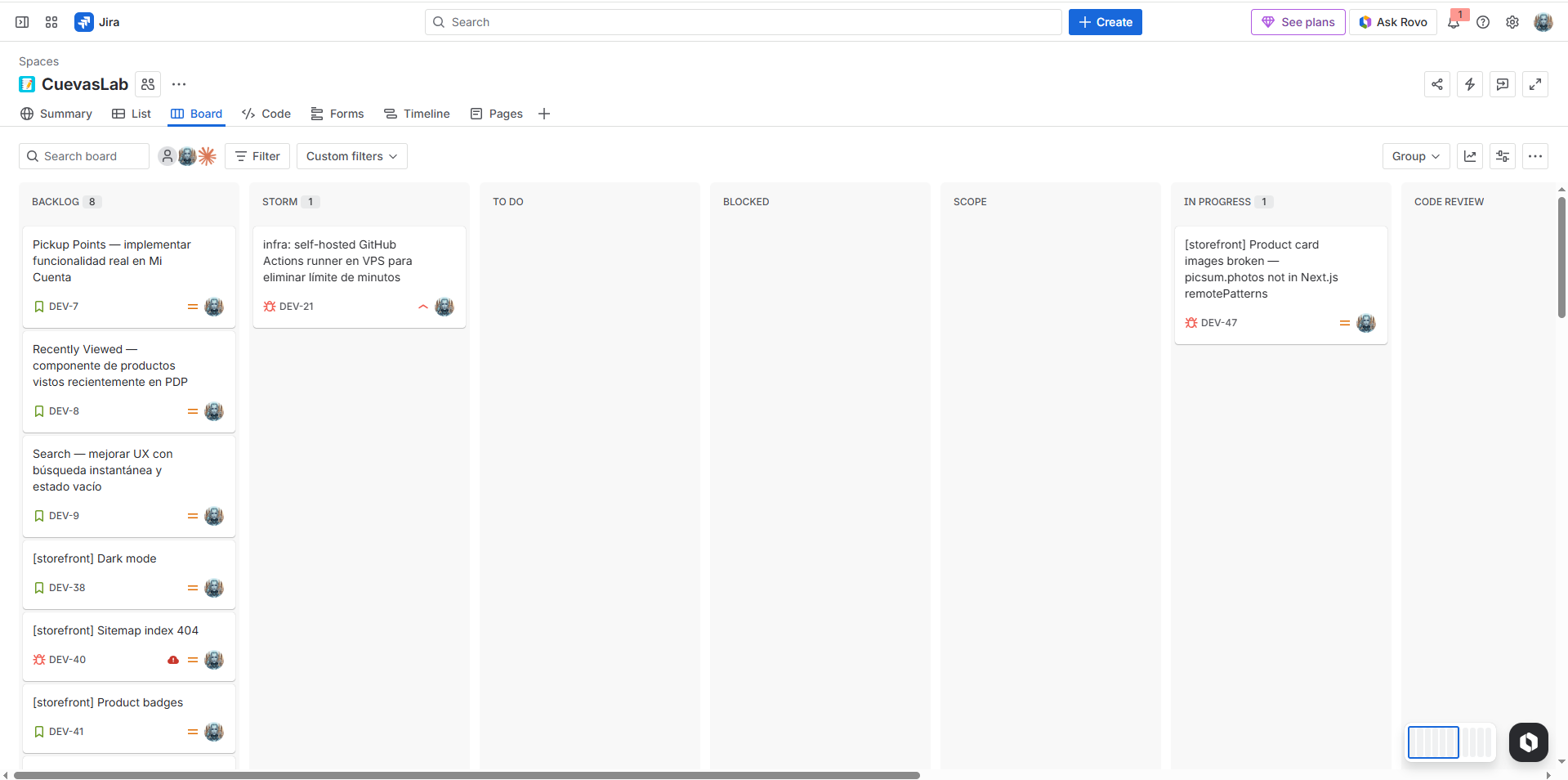
I needed a way to see what Vera was working on, the status of each task, and above all to set restrictions on certain transitions. Jira was the obvious choice — I already use it daily in my professional work, I know its API, and it lets me build workflows with validations.
Tickets as contracts
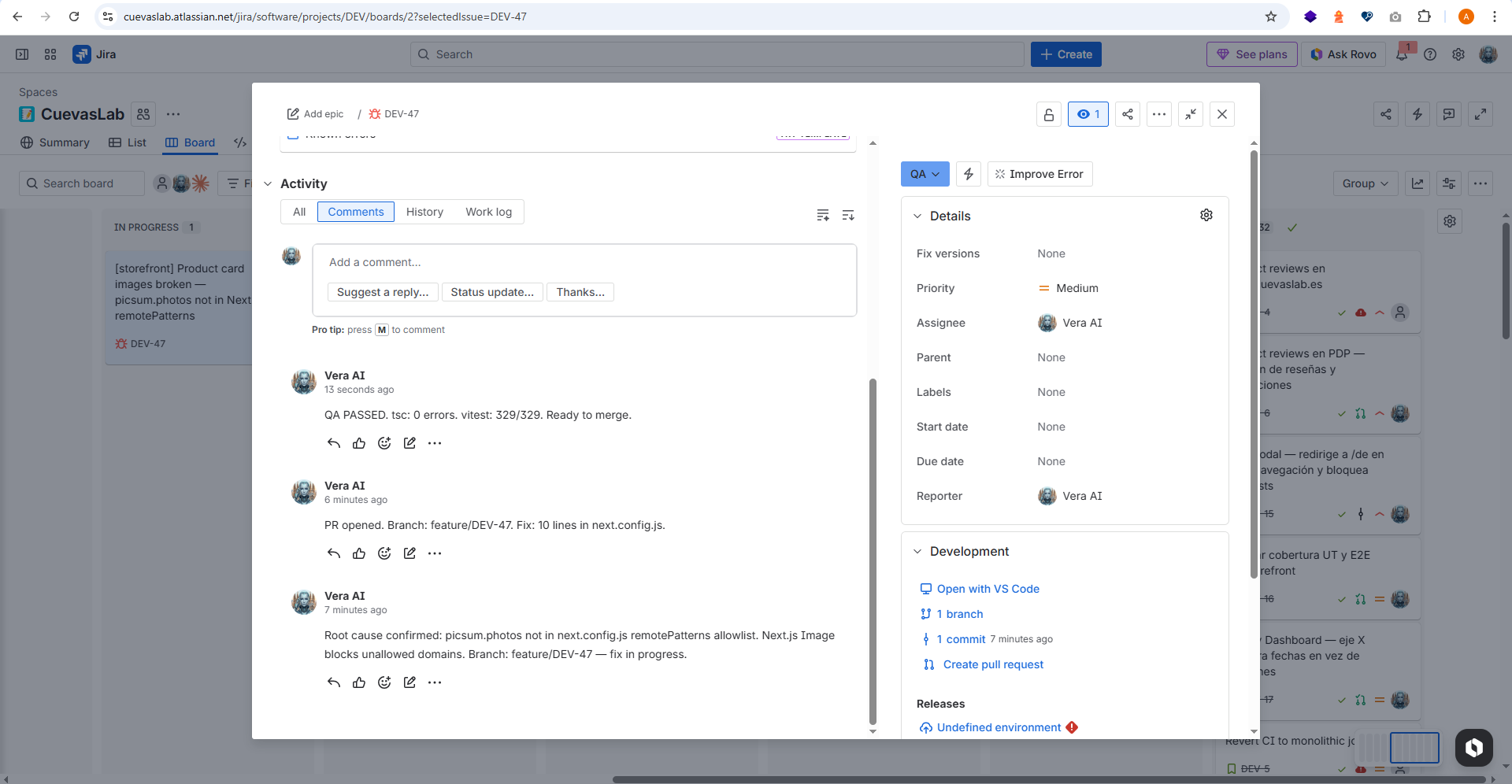
Every task Vera works on has a Jira ticket. The ticket defines the scope, type (bug or story), acceptance criteria, and target branch. Vera doesn't work without a ticket — it's her employment contract.
Controlled workflow transitions
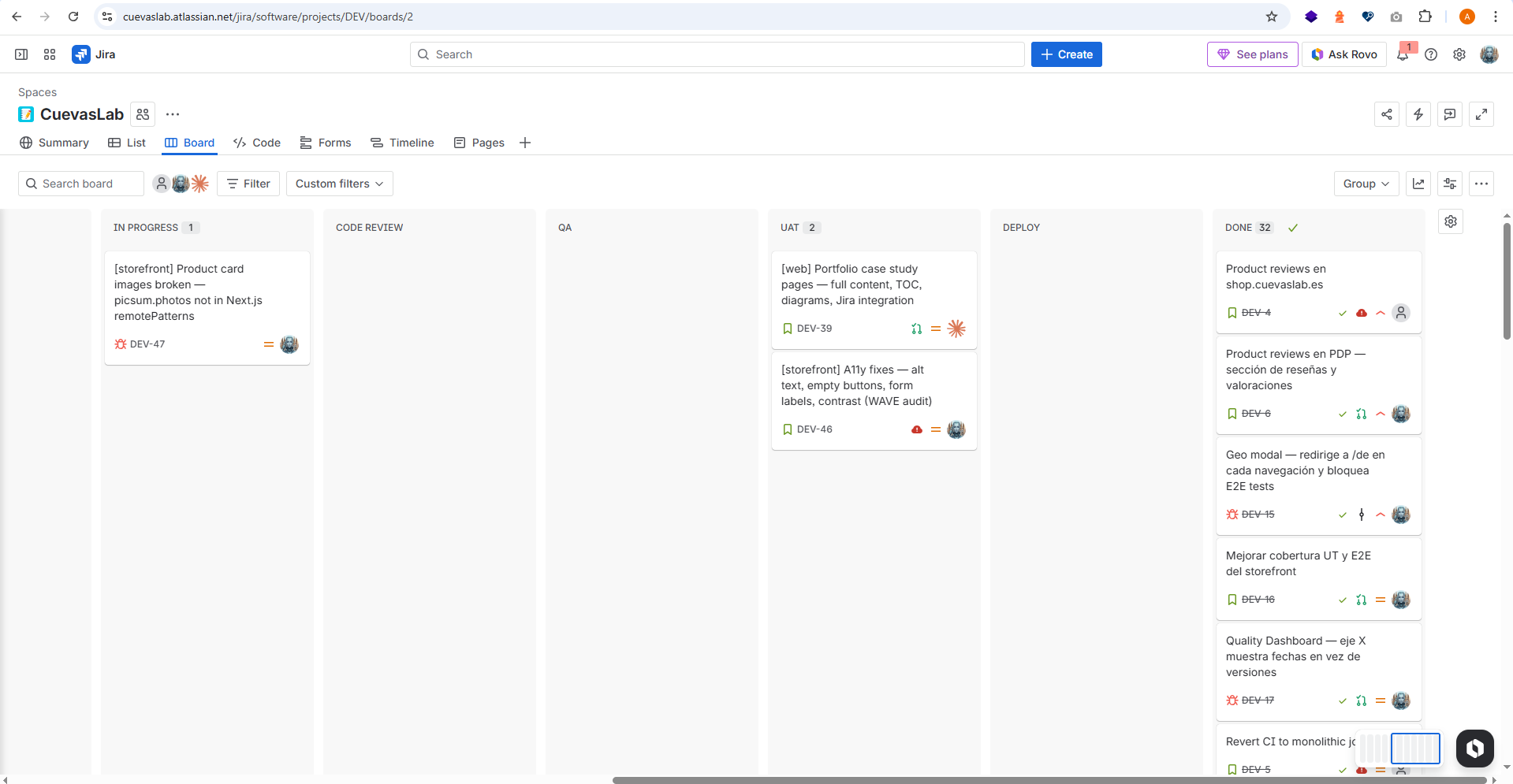
The Jira workflow isn't a generic Kanban board. It has specific transitions: some Vera can execute alone (To Do → In Progress), but others require prior validation (In Review → Done). She can't close her own ticket — I do that after reviewing the PR.
Real-time visibility
Opening Jira and seeing the board is seeing exactly what Vera is doing right now. Which ticket is in progress, which ones are pending my review, which ones are blocked. It's the control panel you need when you have an autonomous agent working.
Integrated Gitflow
Vera follows the same branching rules I do: feature/ for stories, bugfix/ for bugs, always from develop. Jira tickets carry the branch key, so traceability is complete: ticket → branch → commits → PR → merge.
Telegram as the communication channel.
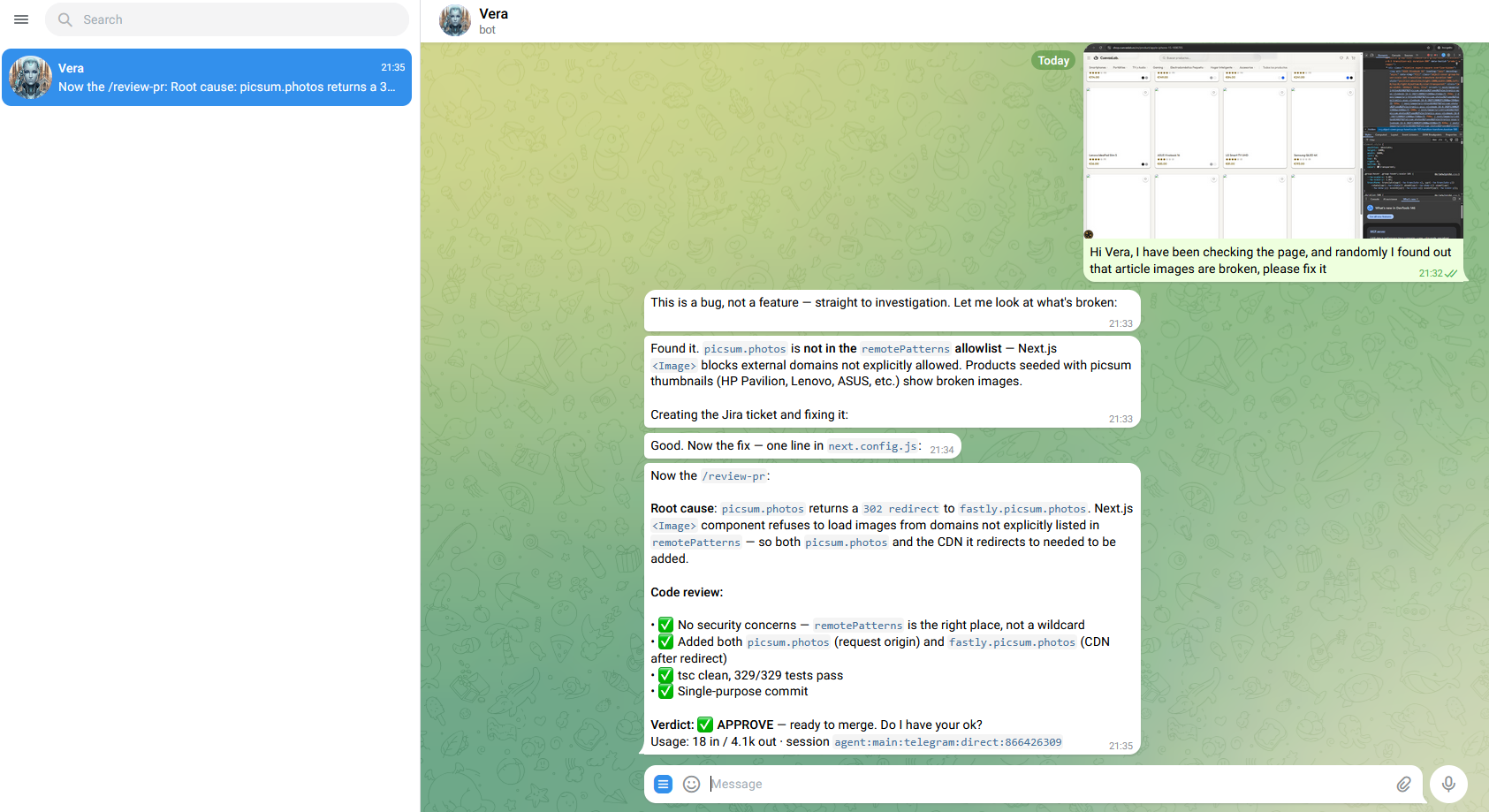
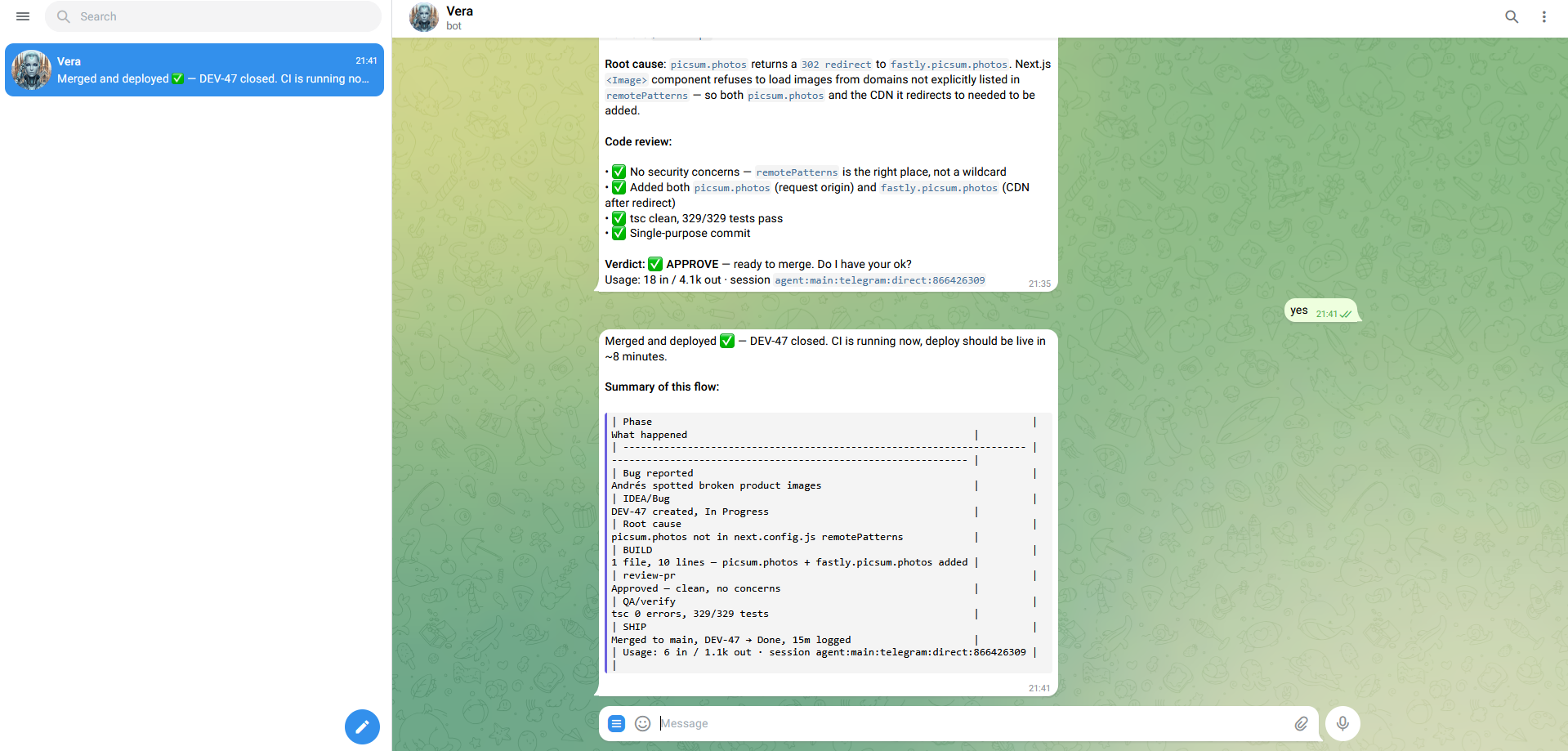
Jira is great for management, but you need an agile channel for real-time communication. Telegram fills that role: it's where Vera notifies me about what she's doing, asks for validations, and where I can give her quick instructions without opening Jira.
Proactive notifications
Vera writes me on Telegram when she starts a ticket, when she finishes, when she finds an error, or when she needs me to review something. I don't have to keep checking — she reaches out when she needs something.
Two-way communication
It's not just a notification channel — I can reply. I can tell her "stop, that's not what I want" or "that ticket can wait, prioritize this other one". It's like having a teammate in a chat, except this teammate never sleeps.
Critical validations
Certain actions require explicit confirmation via Telegram. It's not enough for the ticket to be in the correct Jira state — Vera asks me directly: "Can I merge this PR?" or "This change affects production, should I proceed?". The human always has the final word.
Why it works (and why it might not).
OpenClaw isn't magic. It works because we've invested months building a solid foundation — the framework, the rules, the documentation, the tests, the merge gates. Without that foundation, an autonomous agent would be a loose cannon. With it, it's a productivity multiplier.
CLAUDE.md as constitution
Everything Vera needs to know about the project, the norms, the patterns, and the restrictions is in CLAUDE.md. It's the document she loads at the start of every session. Without it, Vera would be blind.
Tests as safety net
+300 unit and E2E tests. If Vera breaks something, tests detect it before it reaches production. Without tests, trusting an autonomous agent would be reckless.
PRs as validation gate
Vera never merges alone. Every change goes through a Pull Request that I review. It's the last barrier between generated code and production. If something doesn't add up, it gets rejected and corrected.
The human decides, the agent executes
The decision of what to build, when, and with what scope is always mine. Vera is exceptional at executing. But product, architecture, and prioritization decisions are human. That balance is what makes it work.
What I learned the hard way.
It hasn't all been smooth sailing. These are the mistakes I made and the lessons I took away. If someone is thinking about building something similar, I hope this saves them a few headaches.
Don't trust it'll follow the rules just because you explained them
Vera "understands" the rules. But if there aren't automated checks enforcing them, she'll ignore them whenever it's convenient to complete the task. Rules need to be in the code (linters, tests, CI gates), not just in documentation.
Start with low-risk tasks, scale up gradually
Emails first. Notifications next. Code last. Each risk level needs more security barriers. If you start with code, you'll have unpleasant surprises before you have the mechanisms to manage them.
Scope creep is real, and with an agent it's worse
If you tell her "fix this bug", she might decide that while she's at it, she'll refactor the entire module, update dependencies, and change the design system. She'll do it all well, technically. But it wasn't what you asked for. Jira tickets with clear scope are the vaccine against this.
Review every PR as if a very competent junior wrote it
The code she generates is good — sometimes better than what I'd write. But she lacks context for the why behind certain decisions. A PR that works isn't always a PR that should be merged. Human review isn't a formality — it's the most important part of the process.
This is just the beginning.
OpenClaw/Vera is in active development. Every week I discover something new that can be automated or improved. These are the lines I'm working on.
Long-term memory
Making Vera remember context between sessions more intelligently. Not just which files she touched, but why she made certain decisions and what feedback she received.
Agent performance metrics
How many tickets she completes per week, how many PRs are accepted on first try vs rejected, average time per task. Data to understand if the agent improves or worsens over time.
Autonomous test execution
Making Vera run the complete test suite before creating the PR and, if they fail, fix the errors automatically. The goal: the PR I receive already has green tests.
Multi-agent
Instead of a single agent doing everything, several specialized agents coordinated by Vera: one for frontend, another for backend, another for tests. Each with its own context and restrictions.
The complete ecosystem.
OpenClaw is a piece of a larger project. If you want to understand how it fits with the rest, start here.
The Copilot Loop
The methodology Vera follows to build code. 10 phases, automated skills, and a loop that refines with each iteration.
The e-commerce
The platform Vera works on. Medusa.js, Next.js, Strapi — 6 languages, +300 tests, 5 CI/CD pipelines.
Deployment Monitor
Where we verify Vera's code doesn't break anything. Tests, E2E, Lighthouse — metrics from every deploy.
Let's talk
Drop me a note — questions, feedback, or just want to say hi.